
From Alert to Resolution: How Multi-Agent AI Workflows Transform IT Incident Management
Learn how multi-agent AI workflows can coordinate incident investigation, approvals, and governed response across IT operations.
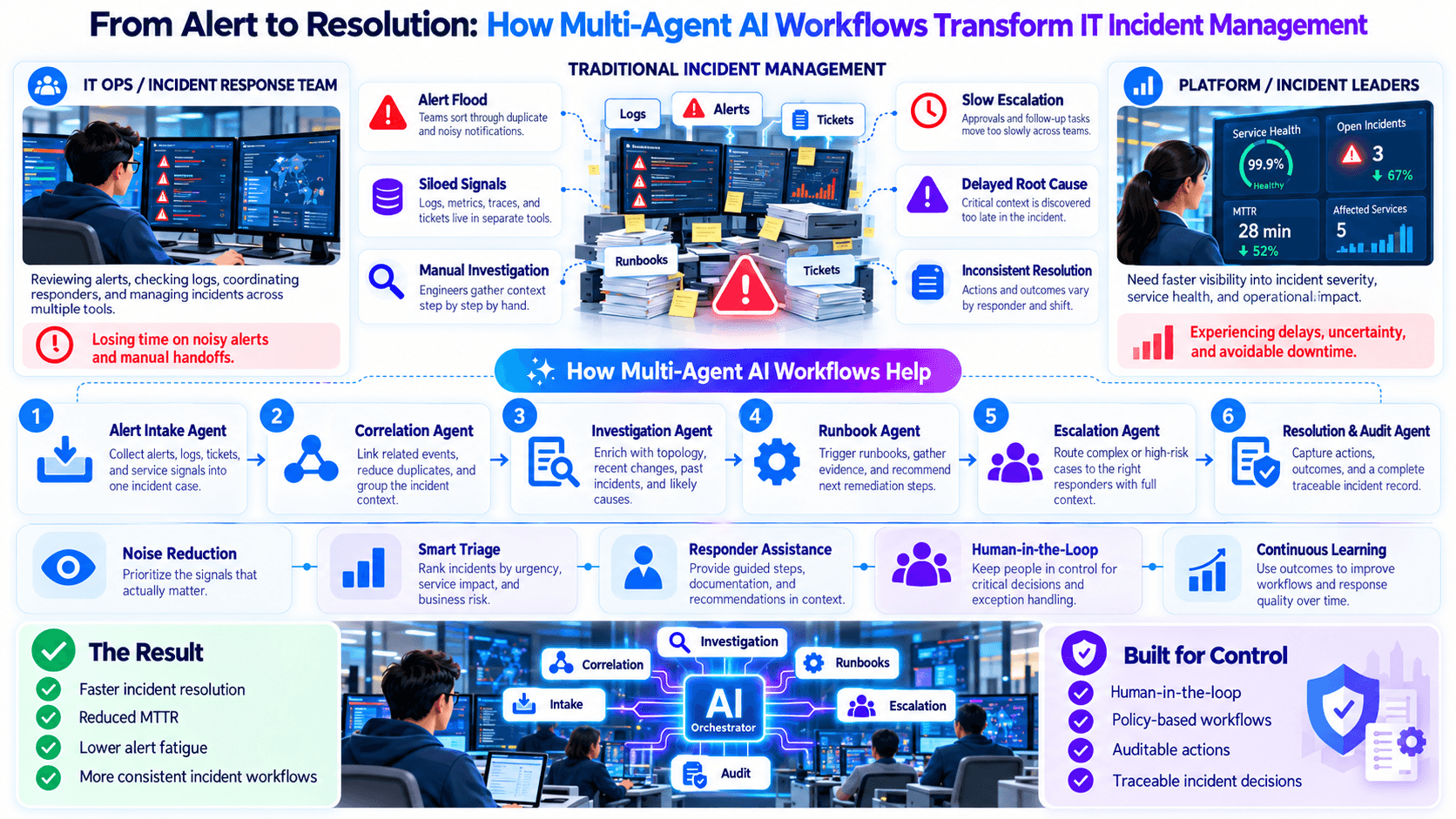
I’ve seen incident response slow down for reasons that have nothing to do with technical skill.
The alert is clear. The team is capable. The tools are already in place.
What breaks down is the coordination between investigation, escalation, approval, and action.
That is why multi-agent AI workflows in IT incident management can matter: they help organize the response around the incident instead of forcing engineers to manually stitch every step together.
Incident Response Is More Than Finding the Root Cause
When an incident begins, teams rarely face one isolated task.
They may need to:
- identify the affected service
- collect logs and operational context
- check recent changes
- understand dependencies
- compare related alerts
- assess customer or business impact
- determine likely causes
- decide whether remediation is safe
- request approval
- execute the next action
- confirm whether the incident is resolved
- document what happened
Each of these tasks may involve a different person, tool, or decision.
The real challenge is making them work as one process.
Why Incident Management Still Becomes Manual Under Pressure
Most operations teams already have monitoring, logging, incident, and automation tools.
Yet major incidents still trigger chat rooms, manual searches, spreadsheet notes, repeated status questions, and calls between teams.
One engineer checks logs.
Another checks infrastructure.
Someone else looks at recent deployments.
The work is happening.
The problem is that the findings may not be coordinated into one shared picture quickly enough.
The person who receives the alert may not be the person who diagnoses the issue.
The person who diagnoses it may not have authority to execute the fix.
The person who approves the fix may need additional context.
Every transition creates another opportunity for delay.
Rolling back a release, restarting a critical service, changing infrastructure, or disabling a dependency may have consequences beyond the original incident.
Those actions need explicit control.
After an action is taken, the team still needs to know:
- Did it work?
- Are the symptoms gone?
- Is another system now affected?
- Should the incident remain open?
- Does the response need escalation?
Incident response is a loop, not a single action.
Single-Agent Automation vs. Multi-Agent Incident Response
One large incident bot may sound simpler.
In practice, specialized agents can make responsibilities clearer.
| Incident activity | Single-agent approach | Multi-agent workflow |
|---|---|---|
| Alert intake | One agent handles everything | Intake agent establishes scope |
| Log analysis | Same agent investigates | Specialist agent handles log evidence |
| Change review | Same prompt/context | Change agent examines recent modifications |
| Dependency analysis | Added to same task | Dependency agent checks related systems |
| Coordination | Agent self-manages all tasks | Orchestrator combines specialist findings |
| Approval | Often external or informal | Explicit approval gate pauses risky actions |
| Runtime controls | Broad agent responsibility | Governed actions can be bounded by workflow rules |
| Validation | Same agent decides success | Dedicated validation step checks outcome |
| Human role | Added when needed | Designed into the process |
The value of multiple agents is not that more agents are automatically better.
The value is separation of responsibilities.
What a Multi-Agent Incident Workflow Could Look Like
A practical incident architecture might use several narrow agents.
Receives the alert and determines:
- affected service
- incident type
- severity context
- available evidence
- which investigation path should start
Reviews relevant log information and prepares important error patterns or anomalies.
Checks recent deployments, configuration changes, or other operational changes relevant to the incident.
Looks at related services or dependencies to determine whether the issue may be broader than the original alert.
Builds a structured summary of what is known, what is uncertain, and what information is still missing.
Prepares possible next actions without automatically assuming authority to execute them.
Checks whether the approved action actually improved the observed symptoms.
Coordinates the entire workflow.
This is where Nuroen AI Multi-Agent Orchestration can help: each agent can focus on one part of the response while an orchestrator manages the overall sequence.
Orchestration Matters More Than Agent Count
A multi-agent system becomes useful only when agents cooperate coherently.
The orchestrator should know:
- which agent runs first
- what context each agent receives
- which results need to be combined
- when an investigation is incomplete
- when a human needs to intervene
- which action requires approval
- what happens after an action executes
- when validation should begin
- when the incident can be closed
Without orchestration, multiple agents can simply create multiple outputs.
With orchestration, those outputs become part of one incident-response process.
A basic structure could be:
Alert
→ intake
→ parallel investigation
→ consolidated incident context
→ remediation proposal
→ approval gate
→ controlled action
→ validation
→ resolution or further investigation
That structure is much closer to how real operations teams work.
Approval Gates Belong Inside Incident Response
Some operational tasks are low risk.
Others are not.
An investigation agent might safely prepare a summary.
A remediation action could affect production.
That difference needs to be reflected in the workflow.
Examples of actions that may require human approval include:
- rolling back a production deployment
- restarting a critical service
- changing infrastructure
- altering a production configuration
- failing traffic over to another environment
- disabling a service or integration
A workflow should not treat those as ordinary next steps.
With Nuroen AI Approval Gates, a proposed remediation can pause at a defined decision point.
The incident context is prepared.
The proposed action is presented.
A human decides whether it should proceed.
Then the workflow continues based on the decision.
That keeps speed and authority separate.
Runtime Governance Makes Automation Safer
Incident workflows often become most valuable precisely when the environment is unstable.
That is also when uncontrolled automation becomes most dangerous.
A system should not simply ask:
> What action could fix this?
It should also ask:
> Is this action allowed here, for this incident, under the current operating rules?
This is where Nuroen AI Runtime Governance becomes relevant.
Runtime governance can support the principle that an agent's ability to act should remain bounded by the workflow and operational policy.
The practical design goal is:
- investigate broadly
- recommend clearly
- act only within defined authority
- escalate when authority is insufficient
- stop when the situation falls outside scope
That is a much stronger operating model than giving an incident agent blanket permission to change production.
A Concrete Example: A Production API Starts Failing
Consider a fictional incident.
A production API begins returning elevated errors shortly after a deployment.
At the same time:
- latency increases
- one dependency begins showing failures
- error logs spike
- customer-facing requests start failing
The team may:
- acknowledge the alert
- open logs
- inspect application metrics
- check recent deployment history
- review the affected dependency
- compare timestamps
- discuss likely causes in chat
- decide whether a rollback is appropriate
- request approval if required
- execute the rollback
- monitor the service
- decide whether the incident is resolved
All of that is reasonable.
The challenge is coordination.
The Alert Intake Agent identifies the affected API.
The Log Investigation Agent prepares the important error pattern.
The Change Investigation Agent identifies the recent deployment.
The Dependency Agent confirms that a related service is also degraded.
The Incident Orchestrator combines those findings into one incident context.
The Remediation Planning Agent proposes validating the deployment as a likely contributor and prepares a rollback option.
Because rollback affects production, the workflow reaches an Approval Gate.
A human reviewer approves or rejects the action.
If approved, the action proceeds within the configured runtime controls.
The Validation Agent then checks whether the service health improves.
If symptoms remain, the orchestrator reopens investigation rather than declaring the incident resolved.
The key difference is not that AI independently fixes production.
It is that the response is coordinated from alert through validation.
Investigation and Remediation Should Be Separate Stages
One of the most important design decisions is separating:
What appears to be happening?
from:
What are we allowed to do about it?
Those are not the same question.
Investigation may include:
- logs
- service behaviour
- dependency state
- change history
- incident history
- infrastructure context
Remediation may involve:
- rollback
- restart
- failover
- configuration change
- resource modification
- escalation
The evidence required for investigation is different from the authority required for remediation.
Nuroen AI's combination of Multi-Agent Orchestration, Approval Gates, and Runtime Governance fits this separation: specialist agents can investigate, while approval and runtime controls govern what happens next.
A Good Incident Workflow Must Handle Rejection
Many automation designs assume:
Proposal → approved → action
Real operations are messier.
A reviewer may reject a proposed remediation.
That rejection needs a workflow.
For example:
Remediation proposed
→ Approval Gate
→ Approved
→ execute controlled action
→ validate
or:
→ Rejected
→ record decision
→ return to investigation
→ generate alternative path
This matters because a human-in-the-loop workflow is not complete unless both approval and rejection are first-class outcomes.
Validation Is Part of Resolution
Executing a fix does not mean the incident is over.
After any remediation, the workflow should determine whether:
- error rates improved
- latency returned to acceptable levels
- affected services recovered
- dependent systems stabilized
- new symptoms appeared
- the original alert condition cleared
A useful response loop looks like:
Investigate
→ propose
→ approve
→ act
→ validate
→ resolved?
→ Yes: close
→ No: investigate again
This loop is important because it prevents the automation from treating action as success.
Runtime Governance Should Define Boundaries Before the Incident
Teams should not decide automation authority in the middle of a production failure.
Those boundaries should already be defined.
A practical incident-response policy can specify:
- which agents may investigate
- which systems they may inspect
- which actions may be proposed
- which actions may execute automatically
- which actions always require approval
- who can approve them
- when the workflow must stop
- when escalation is mandatory
Nuroen AI Runtime Governance can support this model by keeping agent behaviour bounded during execution rather than relying only on the initial prompt.
The important principle is simple:
authority should be designed before urgency arrives.
What IT Teams Should Define Before Building
Before deploying a multi-agent incident workflow, document the operating model.
Teams should define:
- incident types in scope
- initial trigger conditions
- agent responsibilities
- investigation tools and data sources
- required evidence
- severity boundaries
- escalation conditions
- remediation actions in scope
- approval requirements
- runtime restrictions
- validation criteria
- closure conditions
The workflow should also define what happens when information is unavailable or contradictory.
A good system needs a safe way to say:
> We do not have enough evidence to proceed automatically.
Step-by-Step: Building a Multi-Agent Incident Response Workflow
A practical rollout can begin with one repeatable incident type.
Choose an incident the team encounters frequently.
Examples may include:
- failed deployment
- API degradation
- recurring service outage
- dependency failure
- infrastructure resource pressure
Avoid starting with every possible incident.
Document what experienced responders actually do.
Capture:
- tools checked
- evidence gathered
- people involved
- decision points
- approval points
- common remediation paths
- validation steps
Define specialist agents for narrow tasks.
For example:
- alert intake
- logs
- changes
- dependencies
- incident history
- remediation preparation
Use Nuroen AI Multi-Agent Orchestration to coordinate these investigation paths.
Require the workflow to produce a consistent incident view.
That might contain:
- affected system
- observed symptoms
- relevant changes
- dependency impact
- evidence
- working hypotheses
- unresolved questions
- recommended next action
Identify every action that requires human authority.
Use Approval Gates so risky actions pause before execution.
Do not rely on informal approval through side channels.
Define what each agent may and may not do during execution.
Use Runtime Governance so those controls remain active while the incident workflow runs.
Specify how the workflow determines whether the remediation worked.
A successful action should not automatically equal a resolved incident.
Test scenarios where:
- data is missing
- agents disagree
- the proposed fix is rejected
- remediation fails
- symptoms remain
- another dependency begins failing
- the incident falls outside scope
Useful measures may include:
- time to initial investigation context
- time to escalation
- time waiting for approval
- manual handoffs per incident
- investigation rework
- time to validated resolution
- percentage of incidents requiring a second investigation loop
[BENCHMARK: insert verified pre-automation and post-automation incident-response metrics.]
Once one incident pattern works reliably, add additional incident classes or narrowly governed remediation paths.
The goal should be controlled operational leverage, not broad autonomy.
What Good Multi-Agent Incident Management Should Feel Like
When an incident begins, the team should not have to reconstruct the process from memory.
The workflow should make it clear:
- what happened
- what agents have investigated
- what evidence has been found
- what remains uncertain
- what action is being proposed
- whether approval is required
- what is allowed to execute
- whether the action worked
- whether the incident is truly resolved
That is the real promise of multi-agent incident response.
Not more automation for its own sake.
Better coordination under pressure.
Why This Matters
Major incidents test more than infrastructure.
They test communication, judgment, escalation, and control.
Speed matters.
But so does the ability to explain why an action was taken, who approved it, and whether it actually solved the problem.
That is why the strongest incident-response architecture is not fully autonomous.
It is coordinated.
AI agents investigate in parallel.
An orchestrator brings the evidence together.
Approval gates keep sensitive actions under human authority.
Runtime governance defines what the workflow is allowed to do.
And validation determines whether the incident is actually resolved.
For platform engineering and SRE teams exploring this model, Book an IT Ops Automation Demo with Nuroen AI.
Placeholders to Complete Before Publishing
- [BENCHMARK: insert verified pre-automation and post-automation incident-response metrics.]
Add only verified internal, pilot, customer, or independently sourced performance data.
Optional if available:
- [CUSTOMER STORY: add an approved incident-response or IT operations deployment example.]
Include only if the customer or deployment can be publicly referenced.
Related essays
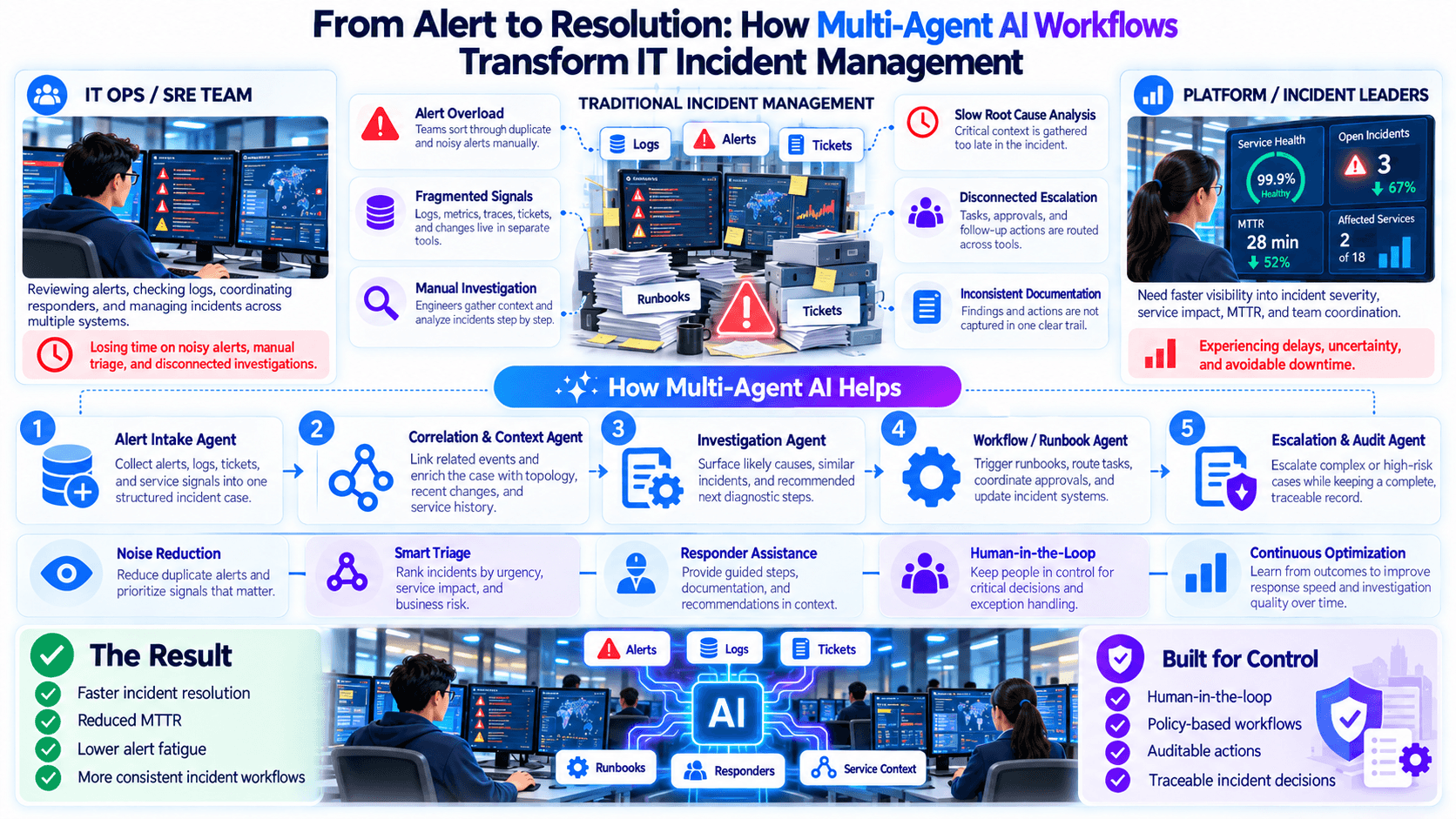
Your IT Team Doesn’t Need More Alerts — It Needs AI Agents That Investigate Them
Learn how AI agents can investigate IT alerts, coordinate tools, and reduce the manual effort required before teams can respond.
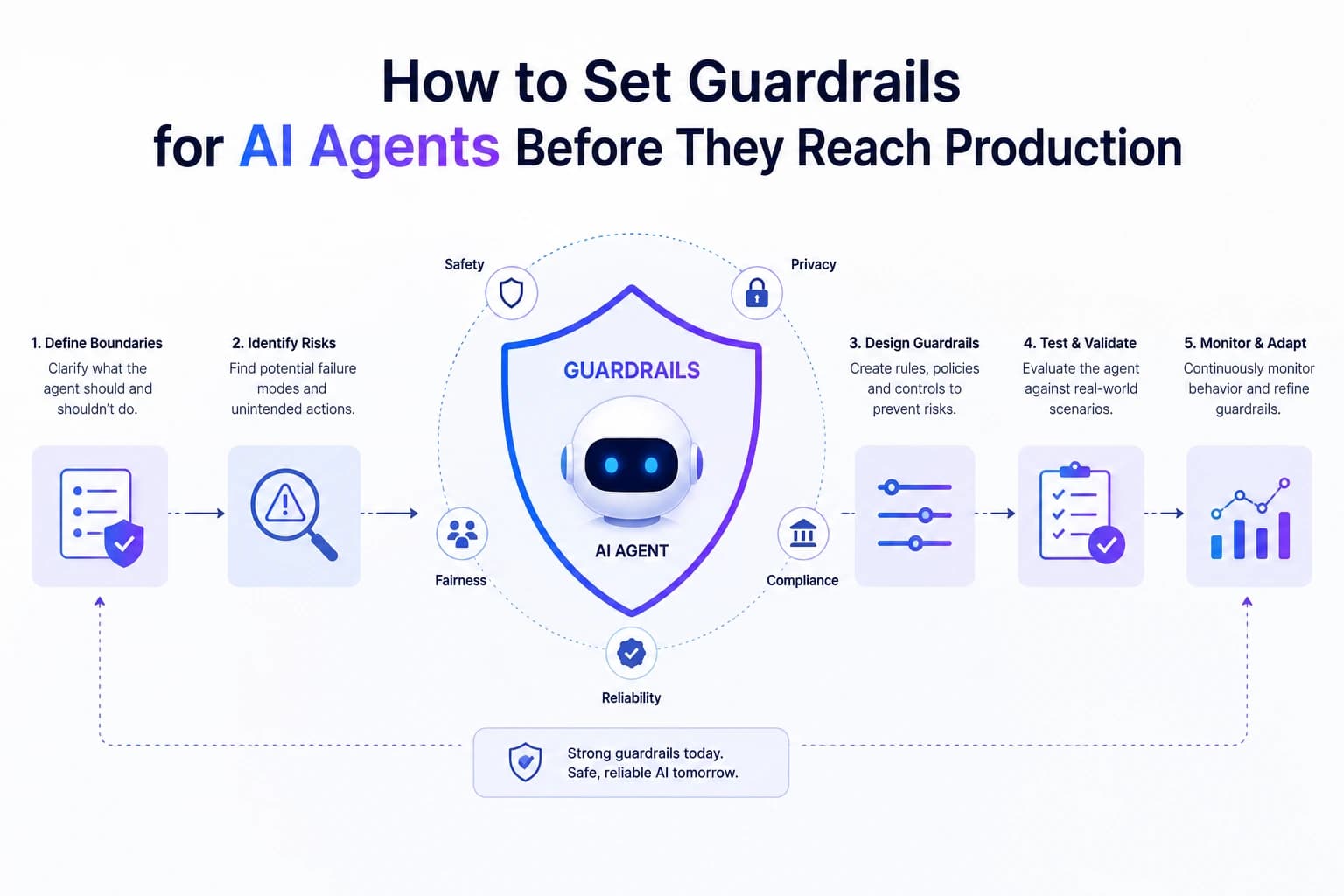
How to Set Guardrails for AI Agents Before They Reach Production
Learn how to set practical guardrails for AI agents — input, action, output, and rate limits — before they touch anything that matters.