
Your IT Team Doesn’t Need More Alerts — It Needs AI Agents That Investigate Them
Learn how AI agents can investigate IT alerts, coordinate tools, and reduce the manual effort required before teams can respond.
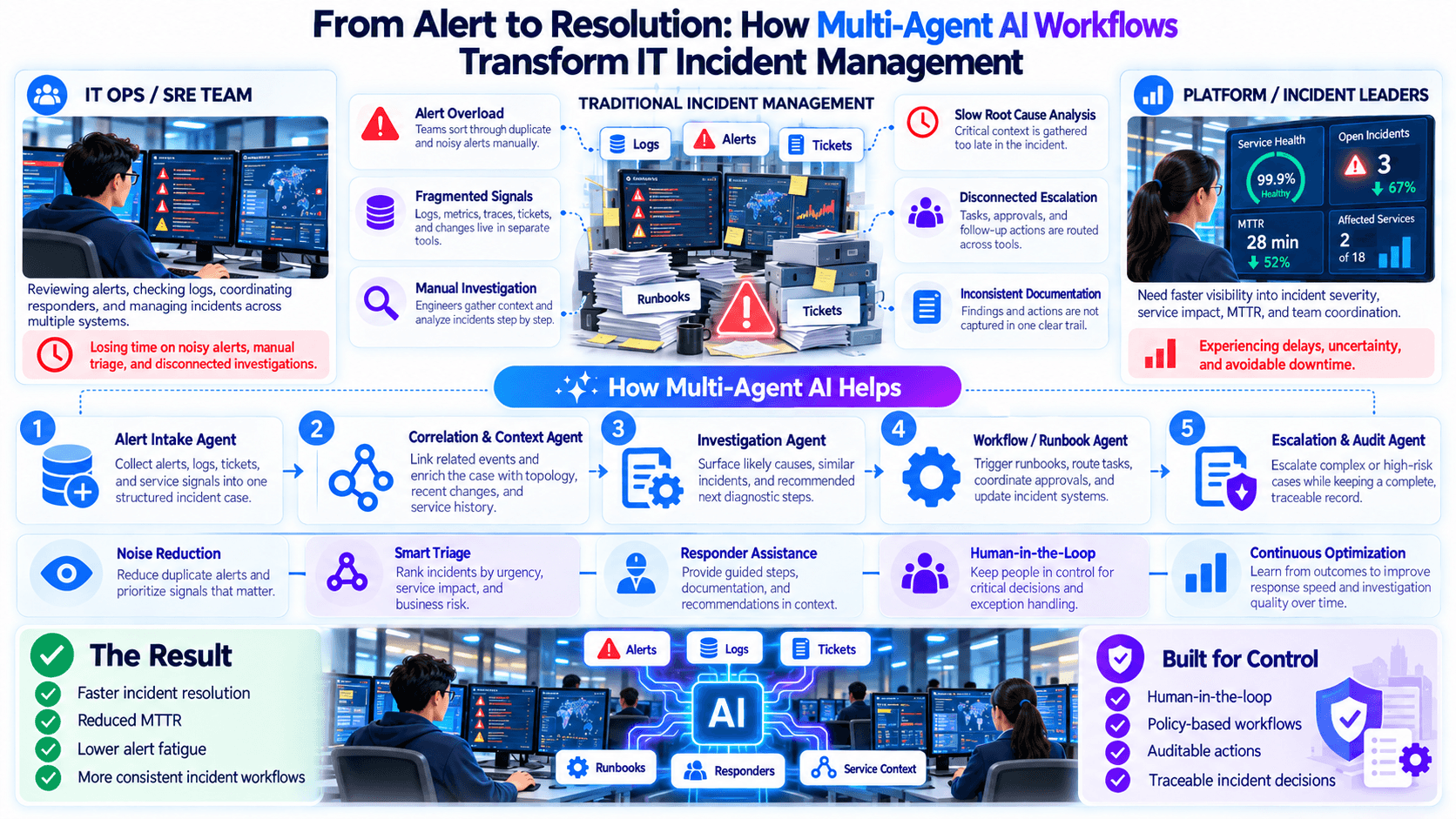
I’ve seen IT teams drown in alerts they already know how to detect.
CPU spikes. Failed deployments. Latency jumps. Service errors. Another dashboard turns red.
The problem is rarely that the team needs one more alert.
The problem is that someone still has to investigate what the alert actually means.
That is where AI agents for IT alert investigation can become far more useful than another monitoring layer.
Alerting Is Not the Same as Understanding
Modern IT environments are already good at producing signals.
Teams monitor:
- infrastructure
- applications
- logs
- services
- deployment activity
- network behaviour
- cloud resources
- performance
- availability
- error rates
That visibility matters.
But every alert creates a new question.
What changed?
Is this isolated or widespread?
Did a deployment happen recently?
Are multiple services affected?
Is the issue repeating?
What evidence supports the suspected cause?
What should the team check next?
Monitoring tells you that something happened.
Investigation determines why.
Why More Alerts Can Make Operations Worse
A growing monitoring stack can create the illusion of better control.
In reality, it can increase the amount of manual triage.
A single underlying problem may produce multiple alerts.
Different systems report their own view of the same event.
Someone still has to work out whether those alerts are related.
The application monitor may show latency.
Logs may show exceptions.
Infrastructure monitoring may show resource pressure.
Deployment history may show a recent change.
No individual alert explains the full incident.
Engineers often move from one tool to another asking:
- What happened before the alert?
- What changed recently?
- Is another service showing the same pattern?
- Has this happened before?
- What should we inspect next?
That work is investigative, repetitive, and time-sensitive.
When teams receive too many low-context alerts, attention becomes the scarce resource.
The risk is not simply that alerts are annoying.
The risk is that the important one looks too similar to everything else.
Traditional Alerting vs. Agent-Led Investigation
The difference is not about replacing observability.
It is about adding an investigation layer after detection.
| IT operations step | Traditional alert-driven model | Agent-led investigation model |
|---|---|---|
| Signal detected | Monitoring system raises alert | Monitoring system raises alert |
| Initial context | Engineer opens the alert | Agent starts gathering relevant context |
| Tool checks | Engineer moves across systems | Agent coordinates checks across available tools |
| Correlation | Engineer determines what may be related | Agent prepares relationships between signals and events |
| Recent changes | Engineer manually checks deployment/config history | Investigation workflow surfaces relevant recent changes |
| Evidence collection | Manual | Agent assembles supporting evidence |
| Hypothesis | Engineer builds initial theory | Agent prepares a structured working hypothesis |
| Escalation | Human decides after manual triage | Human receives a better-prepared incident context |
| Remediation authority | Human | Human unless explicitly governed otherwise |
Monitoring still detects the signal.
The agent investigates what sits behind it.
The Real Opportunity Is Automated Investigation
Most AIOps conversations eventually get pulled toward prediction.
But there is another high-value use case sitting directly in front of operations teams:
automating the first 10–20 minutes of investigation work.
That can include:
- collecting alert details
- checking related events
- gathering recent changes
- examining relevant operational context
- comparing symptoms across systems
- looking for known patterns
- preparing likely causes
- recommending the next diagnostic step
- packaging the evidence for an engineer
This is where Nuroen AI Automated Investigation can help.
The agent is not expected to magically know the root cause from one alert.
It is expected to do the structured investigative work an experienced operator would otherwise begin manually.
IT Ops Agents Need Tools, Not Just Prompts
An AI model sitting in a chat window can explain what high CPU usage might mean.
That is very different from investigating why a specific production service is experiencing it right now.
Real investigation needs operational context.
The workflow may need to inspect information such as:
- alert details
- logs
- service health
- infrastructure state
- deployment history
- recent changes
- incident history
- runbook information
- related application behaviour
This is where Nuroen AI IT Ops Agents become useful as part of an operational workflow.
Instead of answering generic questions, the agent can be assigned a specific investigative responsibility.
For example:
> Investigate this service degradation and prepare the evidence an engineer needs to decide the next step.
The important word is investigate.
Tool Orchestration Is What Connects the Evidence
Operations teams already have tools.
The challenge is that incidents rarely respect tool boundaries.
A service slowdown might require someone to inspect:
alert
→ application metrics
→ logs
→ infrastructure
→ recent deployment
→ dependency behaviour
→ previous incident
No single system contains the full answer.
This is where Nuroen AI Tool Orchestration can help.
The agent can coordinate the sequence of tool interactions required for the investigation rather than forcing the engineer to manually open every system and reconstruct the timeline.
The workflow might look like:
Alert received
→ identify affected service
→ gather relevant operational context
→ inspect recent changes
→ compare related symptoms
→ build evidence set
→ prepare findings
→ send to human operator
Tool orchestration is not valuable because it connects many systems.
It is valuable because it helps answer one operational question across those systems.
Build Specialist Agents Instead of One Giant AIOps Bot
A single agent responsible for all IT operations can become difficult to reason about.
A cleaner design separates investigative responsibilities.
Receives the alert and identifies the affected service, resource, or workload.
Collects the relevant operational state surrounding the event.
Looks for recent changes that may be relevant to the incident.
Prepares important log patterns or error context.
Examines whether related services or dependencies show matching symptoms.
Surfaces relevant prior incidents or operational history.
Coordinates the sequence and combines the evidence into one structured incident view.
This is where Nuroen AI Tool Orchestration and IT Ops Agents can work together.
Each agent handles a narrower investigation task.
The orchestrator coordinates the investigation.
The engineer gets the combined result.
A Concrete Example: API Latency After a Deployment
Consider a fictional production incident.
An API service begins showing elevated latency shortly after a release.
Several alerts fire:
- latency increases
- error rate rises
- one dependent service reports failures
- infrastructure utilization also changes
An SRE may:
- acknowledge the alert
- open the application monitoring view
- inspect recent metrics
- search logs
- check the last deployment
- compare dependent services
- look for infrastructure changes
- search for similar previous incidents
- build an initial theory
- decide whether to roll back, continue investigating, or escalate
The investigation may be perfectly reasonable.
It is also highly manual.
The Alert Intake Agent identifies the affected service.
The Context Agent gathers the relevant operational context.
The Change Investigation Agent finds that a recent deployment occurred before the degradation.
The Log Investigation Agent prepares the important error pattern.
The Dependency Agent identifies which downstream services are showing related symptoms.
The Investigation Orchestrator combines the evidence.
The SRE receives something closer to:
Affected service: API service
Observed symptoms: Elevated latency and increased errors
Recent change: Deployment occurred before degradation
Related systems: Dependent service showing matching failure pattern
Evidence collected: Relevant operational context and log findings
Next investigation step: Validate whether the recent deployment explains the observed behaviour
The engineer still decides what to do.
But the basic evidence-gathering work is already underway.
Investigation Should End With Evidence, Not Confidence Theatre
One of the easiest mistakes in AI operations is producing a confident answer without enough evidence.
A useful investigation agent should not say:
> “The deployment caused the incident.”
unless the available evidence actually supports that conclusion.
A better output distinguishes between:
- observed facts
- relevant correlations
- working hypotheses
- missing information
- recommended next checks
For example:
Observed: Latency increased after deployment.
Observed: Errors appeared in the same service during the same period.
Related: A dependent service also degraded.
Hypothesis: The deployment may be related.
Still needed: Validate whether rollback or comparison against the previous version changes the symptoms.
That structure is much more useful to an operations team.
The purpose of AI investigation is not certainty.
It is faster, better-organized evidence.
Automation Should Stop Before Authority Becomes Ambiguous
Investigation and remediation are not the same thing.
An agent may be able to:
- gather context
- compare signals
- prepare evidence
- identify relevant changes
- recommend next diagnostic actions
That does not automatically mean it should:
- restart production systems
- roll back deployments
- modify infrastructure
- disable services
- change configurations
Those actions require a separate authority model.
For many teams, the most valuable first step is simply:
automate investigation before automating remediation.
That creates immediate operational value without forcing the organization to grant broad execution authority.
What IT Leaders Should Define Before Building
Before deploying investigation agents, define clear operational boundaries.
Teams should document:
- which alerts should trigger an investigation
- which tools the agent may use
- what evidence it should collect
- which systems are in scope
- what information should be included in the final investigation
- what counts as an incomplete investigation
- when the agent should escalate
- what the agent is not allowed to change
- which actions require explicit human approval
- how investigation results should be recorded
The tighter the scope, the easier the agent is to trust.
Step-by-Step: Building an AI Agent for Alert Investigation
A practical rollout can start with one high-volume alert category.
Choose something the team already investigates frequently.
Examples might include:
- service latency
- application errors
- failed deployments
- recurring infrastructure pressure
- dependency failures
Start with a problem the team understands.
Ask experienced operators what they actually check.
Capture:
- systems opened
- evidence collected
- common hypotheses
- frequent false leads
- escalation points
- information required before action
This becomes the foundation of the agent workflow.
Break the investigation into narrow responsibilities.
For example:
- alert intake
- logs
- recent changes
- dependencies
- infrastructure context
- prior incidents
Use Nuroen AI IT Ops Agents to assign those responsibilities clearly.
Determine which tool interaction should happen at each stage.
Use Nuroen AI Tool Orchestration to coordinate the required checks rather than relying on the engineer to perform every lookup manually.
Do not ask the agent for a vague summary.
Require a structured result containing:
- incident scope
- observed symptoms
- relevant evidence
- recent changes
- related systems
- working hypotheses
- unresolved questions
- recommended next investigation step
The agent should stop when:
- required data is unavailable
- evidence conflicts
- the issue falls outside its scope
- human judgment is required
- additional investigation would require unauthorized action
Test:
- clean incidents
- noisy alerts
- multiple simultaneous alerts
- missing telemetry
- unrelated recent deployments
- dependency failures
- cases with no obvious cause
Useful measures may include:
- time to initial incident context
- time spent on manual evidence gathering
- number of tools manually opened per incident
- time to escalation
- number of repeated investigation steps
- operator rework
[BENCHMARK: insert verified baseline and post-automation investigation metrics.]
Once Automated Investigation performs reliably, the organization can decide whether any narrow remediation steps should be introduced separately.
Do not assume investigation and execution require the same level of autonomy.
What Good IT Ops Investigation Should Feel Like
When an alert reaches an engineer, the first question should not be:
> “Where do I start?”
The engineer should already have a structured starting point.
What happened?
What changed recently?
Which systems are involved?
What evidence has already been checked?
What appears related?
What remains uncertain?
What should we inspect next?
If an agent can answer those questions reliably, it is doing meaningful operational work.
That is a better benchmark than simply generating another alert, score, or dashboard.
Why This Matters
IT teams do not need more noise.
They need faster understanding.
Every incident creates a gap between detection and informed action.
Today, experienced engineers often fill that gap manually by searching tools, correlating events, checking changes, and reconstructing evidence under pressure.
AI agents can help compress that work.
Not by replacing SREs or operations teams.
By arriving with the investigation already started.
That changes the role of AI in IT operations from:
“Here is another alert.”
to:
“Here is what we found, what the evidence suggests, and what still needs your judgment.”
For IT leaders exploring that operating model, Explore IT Ops AI Agents with Nuroen AI.
Placeholders to Complete Before Publishing
- [BENCHMARK: insert verified baseline and post-automation investigation metrics.]
Add only verified internal, pilot, customer, or independently sourced data.
Optional if available:
- [CUSTOMER STORY: add an approved IT operations or SRE investigation example.]
Include only if the customer or deployment can be publicly referenced.
Related essays
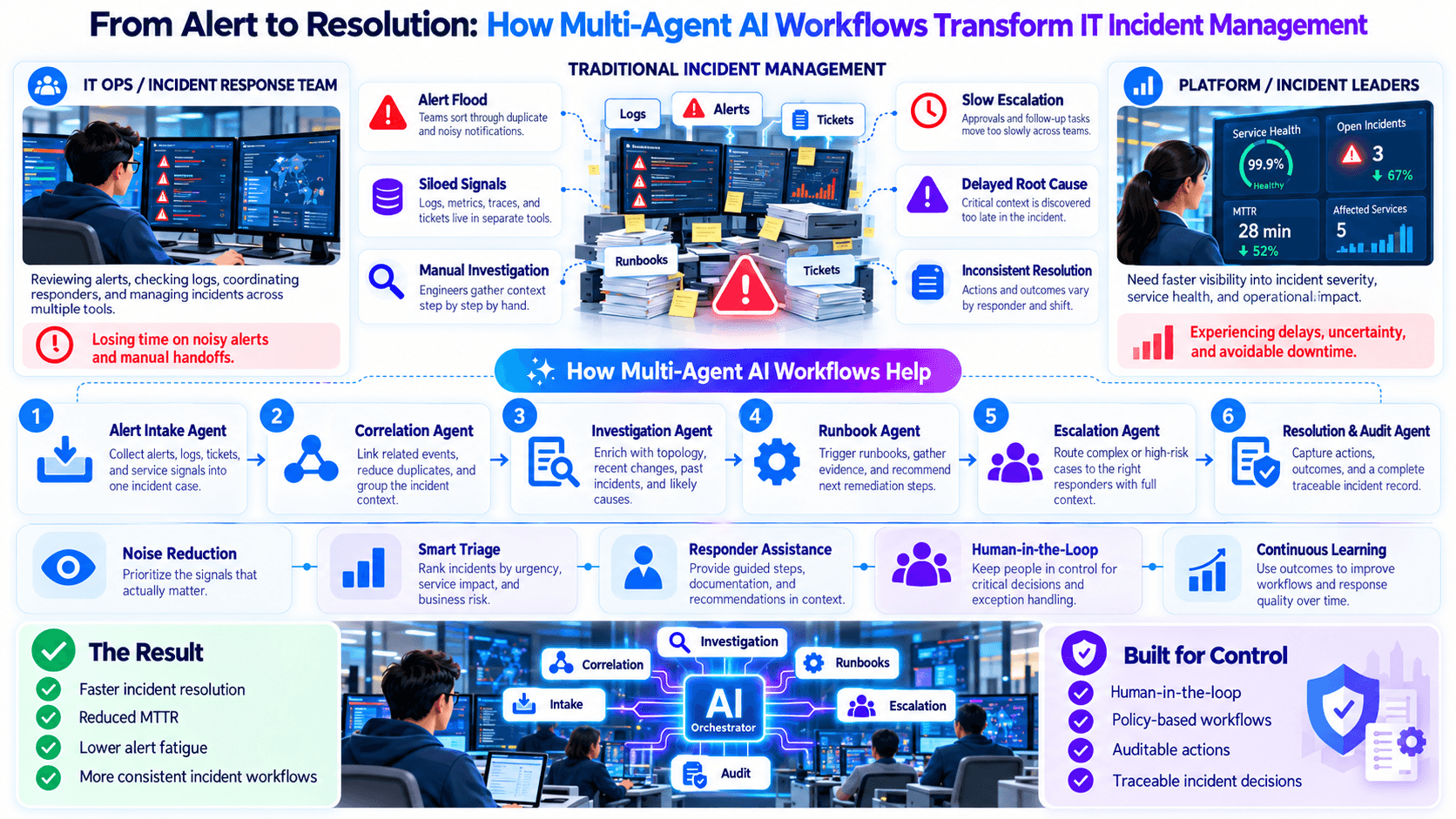
From Alert to Resolution: How Multi-Agent AI Workflows Transform IT Incident Management
Learn how multi-agent AI workflows can coordinate incident investigation, approvals, and governed response across IT operations.
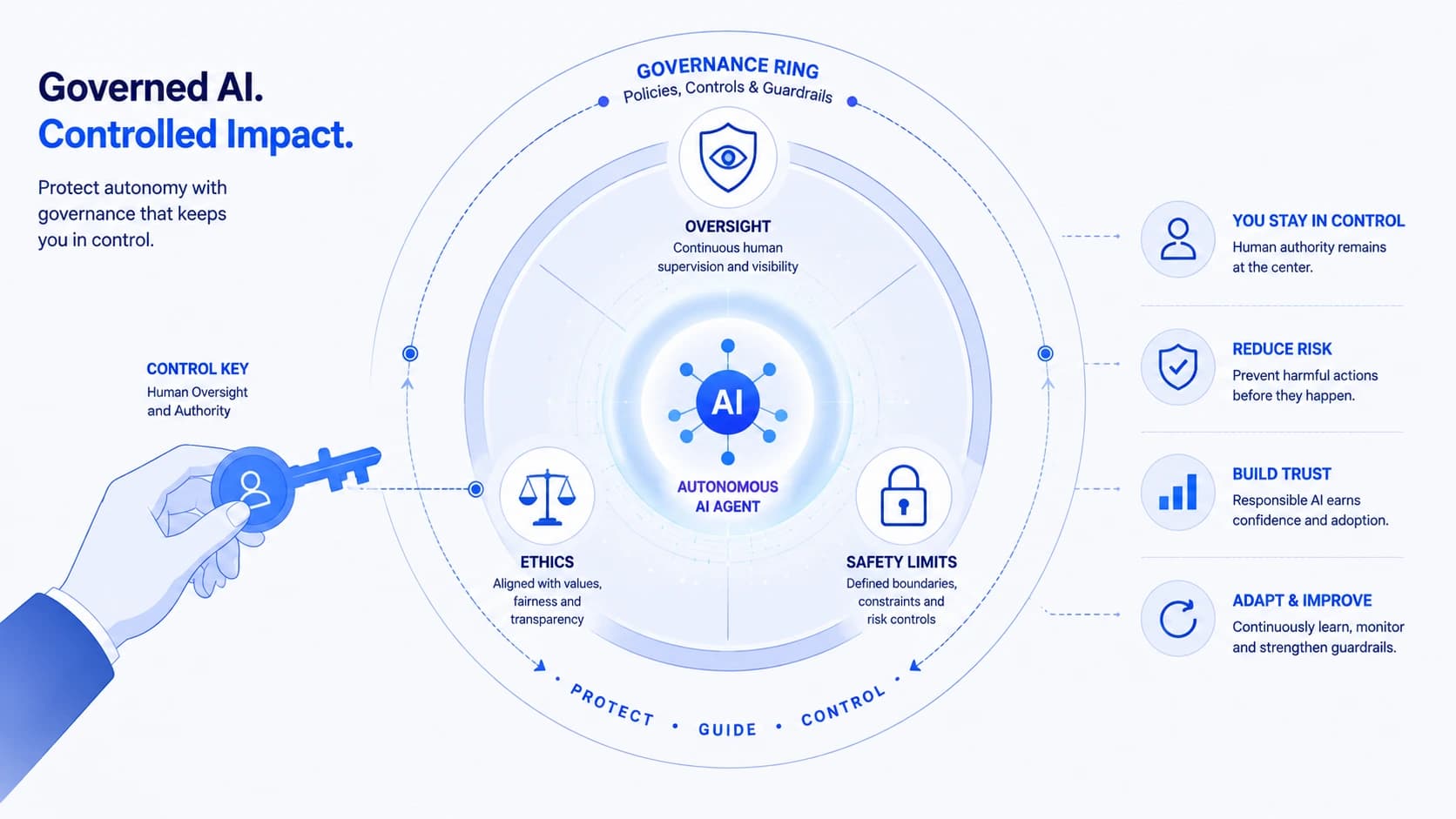
AI Governance for Autonomous Agents: Keeping Control When Software Acts on Its Own
Learn how to govern autonomous AI agents with clear policies, guardrails, and audit trails — so agents stay useful without going off-script.