
Why Insurance Claims Still Take Days — And How Agentic AI Can Reduce Processing Delays
Learn how agentic AI can reduce claims processing delays by coordinating intake, workflow steps, exceptions, and human approvals.
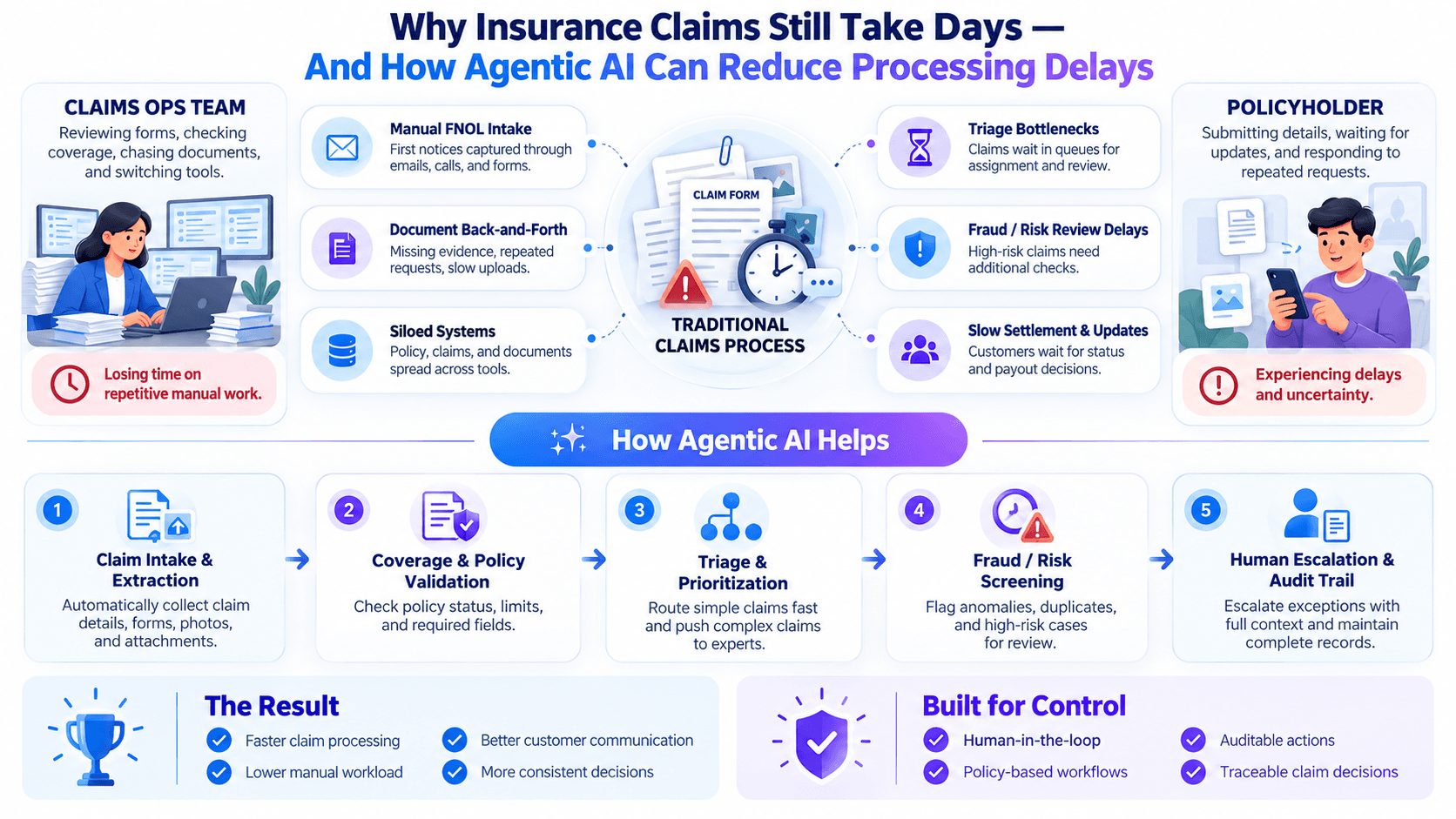
I’ve seen claims teams spend more time moving a case forward than actually deciding what should happen to it.
A document is missing. Someone sends an email. A case waits in a queue. Another team reviews the same information again.
That is why insurance claims still take days even when many individual steps are already digital.
The opportunity with agentic AI is not simply to automate one task.
It is to coordinate the entire path from claim intake to the next valid decision.
The Delay Is Usually Between the Steps
Most insurers already use software across the claims lifecycle.
The issue is that claims still move through a chain of dependent activities:
- receiving the claim
- collecting supporting documents
- checking whether information is complete
- reviewing submitted evidence
- identifying exceptions
- assigning the case
- requesting missing information
- preparing the claim for review
- escalating unusual cases
- obtaining approval
- communicating the outcome
Any one of these steps may be relatively simple.
The delay appears when one step cannot begin until another person, system, or team completes something first.
A claim can sit untouched because:
- one document has not arrived
- an exception has not been routed
- the case is waiting for approval
- information needs clarification
- ownership of the next step is unclear
- someone needs to reopen the claim manually
This is fundamentally an orchestration problem.
Why Insurance Claims Still Take Days
The phrase insurance claims processing delays can sound like a single problem.
It usually is not.
Several smaller sources of friction compound across the lifecycle.
A claim may arrive with basic information but lack documents or details required for the next stage.
Someone then has to identify what is missing and initiate the follow-up.
Claims may involve forms, supporting documentation, correspondence, images, or other evidence.
A reviewer first needs to understand what has been provided before substantive review can even begin.
A standard claim can follow a predictable process.
An incomplete or unusual claim cannot.
Once an exception appears, manual coordination often increases quickly.
A claims team may complete its part of the case, but the claim still waits for another team or reviewer.
The operational question becomes:
> Who owns the next step?
When a case needs authorization, teams may rely on email, tickets, or other manual communication.
The claim is technically still active, but nothing moves until someone responds.
Agentic AI becomes useful when it can coordinate those dependencies instead of treating every task as an isolated automation.
Traditional Automation vs. Agentic Claims Workflows
A useful distinction is the difference between automating a task and orchestrating a case.
| Claims activity | Traditional automation | Agentic workflow |
|---|---|---|
| Claim intake | Capture form data | Intake agent prepares the case for the next step |
| Completeness check | Rule or manual review | Agent checks whether required information is available |
| Missing information | Human identifies and follows up | Workflow routes the case into a follow-up path |
| Case preparation | Adjuster manually assembles context | Agent prepares structured information for review |
| Exceptions | Handled through manual escalation | Exception path routes the case to the right review point |
| Approval | Email, ticket, or manual sign-off | Explicit approval gate pauses and resumes the workflow |
| Next action | Human determines what happens next | Orchestrator routes the case based on the outcome |
| Human judgment | Human | Human where the workflow requires it |
The important shift is this:
Traditional automation asks, “Can we automate this task?”
Agentic automation asks:
“Given what just happened, what should happen next?”
Claims Intake Is More Than Data Capture
Claims intake is a good example.
Capturing information is useful.
But the business problem begins immediately after the information arrives.
The workflow needs to determine:
- Is the claim complete enough to proceed?
- Are supporting documents present?
- Does anything require clarification?
- Which path should the claim take?
- Does the case need human review?
- What action should happen next?
A Nuroen AI Claims Intake Agent can fit at this point by handling the first stage of the workflow and preparing the claim for downstream processing.
The value is not simply extracting information.
It is creating a clean transition from intake to the next valid action.
Workflow Orchestration Is Where the Time Savings Can Come From
A claims process often contains many branches.
For example:
Claim received
→ Complete?
→ Yes: continue to review
→ No: request additional information
Then:
Review completed
→ Exception detected?
→ No: continue
→ Yes: escalate
Then:
Decision prepared
→ Human approval required?
→ Yes: pause for approval
→ No: continue to next configured step
Without orchestration, someone coordinates these transitions manually.
With Nuroen AI workflow orchestration, the process can instead be structured around explicit paths and next actions.
That matters because delay is often caused less by the work itself and more by waiting for someone to move the case from one stage to another.
Human Approval Should Be Designed Into the Process
Claims automation should not be evaluated by how completely it removes people from the workflow.
Some decisions should remain deliberate.
A case may require human review because:
- submitted information conflicts
- required evidence is unclear
- the claim falls outside a standard path
- an exception requires authorization
- internal policy requires approval
- the workflow cannot confidently determine the appropriate next step
The correct response is not to force the automation forward.
It is to stop.
This is where Nuroen AI Human Approvals can support the workflow.
The agent prepares the information.
The workflow pauses.
A human reviews the case.
The next step depends on that decision.
This creates a much clearer model than relying on informal escalation outside the workflow.
A Concrete Example: A Motor Insurance Claim
Consider a fictional motor insurance claim.
A policyholder reports vehicle damage after an accident and submits:
- claim information
- accident details
- supporting documentation
- images related to the loss
The claim enters the insurer's workflow.
A claims handler may:
- review the incoming submission
- determine whether everything required is present
- identify a missing document
- contact the policyholder
- update the case
- wait for the missing information
- reopen the case
- review everything again
- prepare the case for the next team
- escalate if an exception is found
The claim may be simple.
The coordination is not.
A Claims Intake Agent receives the case and prepares the initial claim record.
The workflow checks whether required information is available.
If something is missing, the claim moves into a follow-up path instead of entering a review queue prematurely.
When the required information arrives, the workflow continues.
If an exception appears later, the orchestrator sends the claim to a human review path.
If approval is required, the case pauses at an explicit approval gate.
The important change is not that AI makes every claims decision.
The change is that the claim does not rely on a person remembering how to move it through every intermediate step.
Design Around the Exception, Not the Happy Path
A clean claim is easy to automate.
The real test is what happens when something goes wrong.
Claims teams should design workflows for cases such as:
- missing documents
- incomplete information
- conflicting information
- unexpected claim types
- duplicate submissions
- unreadable or unusable evidence
- a reviewer rejecting the proposed next step
- a case requiring escalation
- a claim returning from human review
For each exception, define:
- what causes the workflow to stop
- what information should be preserved
- who or what owns the next step
- what action is required
- what allows the claim to resume
This is one of the clearest advantages of workflow orchestration.
Exceptions become part of the system design instead of informal operational knowledge.
Keep Intake, Review, and Decisioning Separate
Claims automation becomes harder to govern when one system tries to do everything.
A cleaner architecture separates responsibilities.
For example:
Intake What did the customer submit?
Completeness Do we have enough information to proceed?
Review preparation What facts and evidence need to be surfaced?
Exception handling Does the case require a different path?
Approval Does a human need to authorize the next step?
These are different responsibilities.
They should not necessarily be collapsed into one autonomous agent.
Using Nuroen AI Claims Intake Agents and workflow orchestration, teams can structure these stages separately while using approval gates where human control needs to remain explicit.
What Claims Teams Should Define Before Automating
Before building the workflow, agree on the operating rules.
Claims teams should document:
- what information is required at intake
- which conditions allow a claim to move forward
- what counts as an incomplete case
- what counts as an exception
- which cases require human review
- who is authorized to approve different paths
- what happens after approval or rejection
- what information must be passed between stages
- what happens when an agent cannot complete its task
- where the workflow should stop rather than guess
The more explicit these rules are, the easier the workflow is to control.
Step-by-Step: Building an Agentic Claims Workflow
A practical claims automation program can begin with a bounded workflow.
Document the process from first notice or submission through the targeted review stage.
Identify every queue, handoff, approval, and follow-up.
Look for stages where the claim is not being actively worked but is waiting for:
- information
- assignment
- review
- escalation
- approval
These are often the best targets for orchestration.
Determine exactly what the Claims Intake Agent should prepare before the case proceeds.
Keep its responsibility narrow.
Document the main outcomes.
For example:
Complete → review
Incomplete → follow-up
Exception → specialist review
Approval required → human approval
Identify the decisions that should never progress automatically.
Configure the workflow to pause rather than infer authorization.
Use cases involving:
- missing information
- conflicting details
- incomplete submissions
- rejected approvals
- unexpected exceptions
Do not judge the workflow only on clean claims.
Track measures such as:
- total processing time
- active handling time
- queue time
- number of manual handoffs
- number of reopened claims
- incomplete claim rate
- exception rate
- human approval time
[BENCHMARK: add verified baseline and post-automation claims-processing metrics.]
Once the workflow is reliable, extend automation to additional stages or claim types.
The objective is controlled improvement, not maximum autonomy.
What Good Claims Automation Should Feel Like
For the operations team, a well-designed workflow should make basic questions easier to answer.
Where is the claim now?
Why did it stop?
What is missing?
Who owns the next action?
Does this case need approval?
What happens when approval is given?
If those answers still require searching through emails, notes, and several systems, the workflow is not truly orchestrated.
The purpose of agentic claims automation is to make case progression explicit.
Why This Matters
A claim is not just an operational record.
For the customer, it may represent a damaged vehicle, disrupted business, damaged property, or another stressful event.
Every avoidable delay affects trust.
At the same time, insurers cannot trade speed for weak controls.
The right goal is therefore not “automate every decision.”
It is:
remove unnecessary delay while keeping important decisions accountable.
Claims Intake Agents, workflow orchestration, and human approvals can help create that balance.
That is where agentic AI becomes useful in insurance: not by taking control away from claims teams, but by helping the process move when it should — and stop when a person needs to decide.
If your team is evaluating how this model could fit into your claims operation, Explore Claims Automation with Nuroen AI.
Placeholders to Complete Before Publishing
- [BENCHMARK: add verified baseline and post-automation claims-processing metrics.]
Use only verified internal, pilot, customer, or independently sourced data.
Optional if available:
- [CUSTOMER STORY: add an approved insurer claims-automation example.]
Include only if the customer or deployment can be referenced publicly.
Related essays
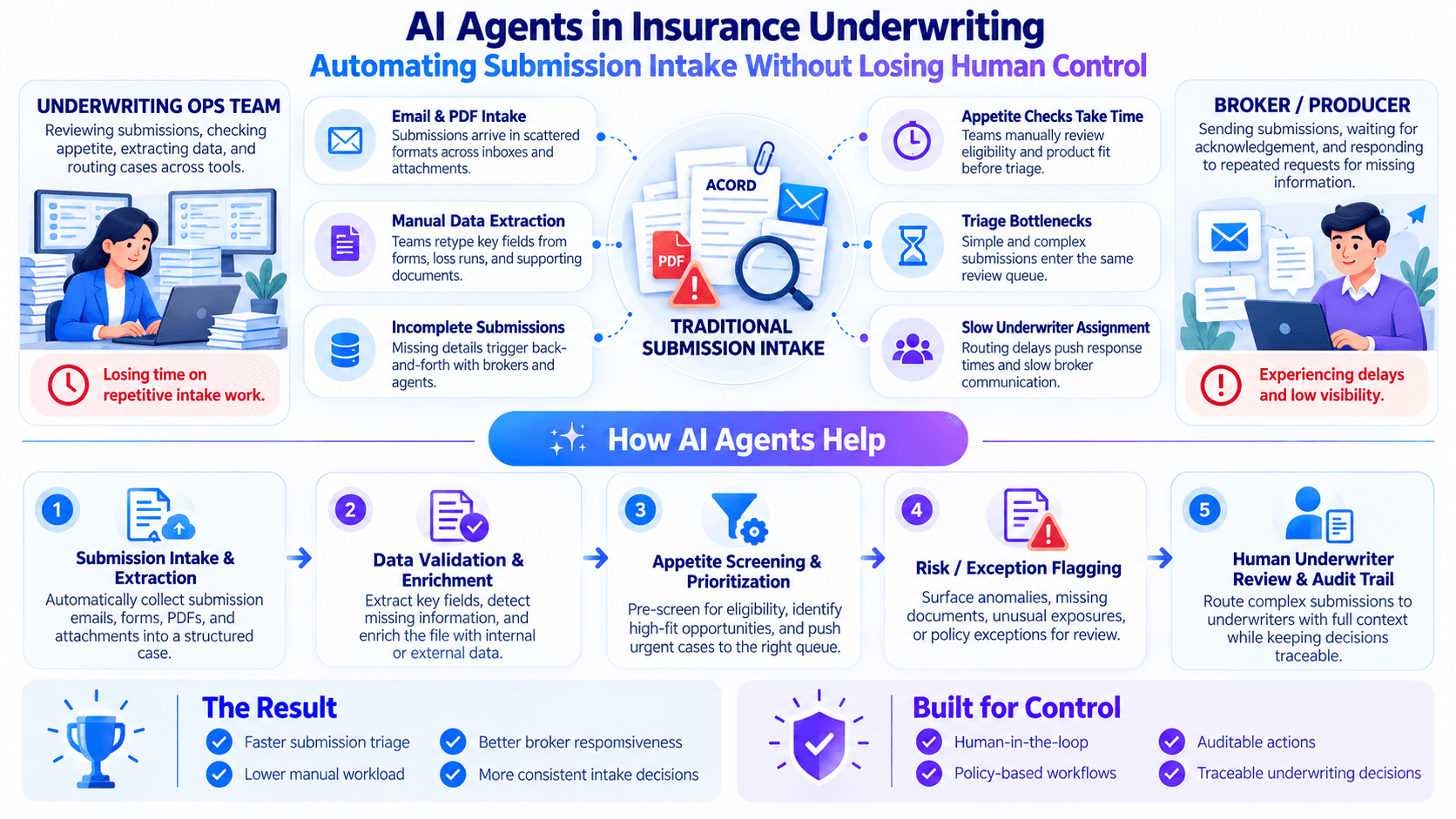
AI Agents in Insurance Underwriting: Automating Submission Intake Without Losing Human Control
Learn how AI agents can streamline underwriting intake while preserving human judgment, policy controls, and auditability.
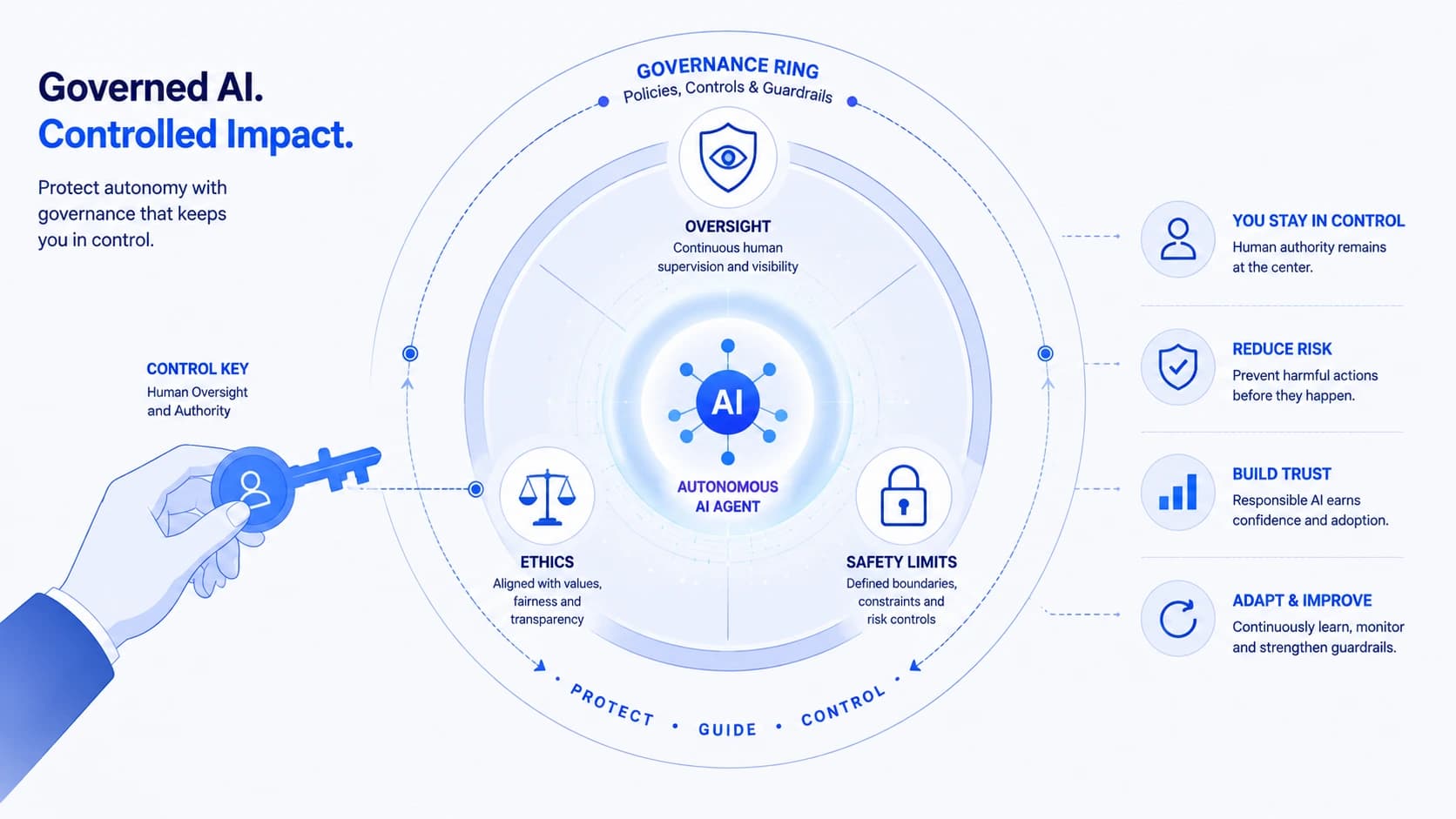
AI Governance for Autonomous Agents: Keeping Control When Software Acts on Its Own
Learn how to govern autonomous AI agents with clear policies, guardrails, and audit trails — so agents stay useful without going off-script.